Lyunotes brings your notes, your journal and your files into one app, with a built-in vault for the files that belong to your notes, and lets you turn on zero-knowledge encryption for any notebook you want sealed.
Each part is a feature of its own, described below. What makes Lyunotes different is how they fit together.
Write. Create a note in one tap, find it again by search, tag or folio, and link notes to each other. See Notes.
Keep a journal. Give a notebook the Diary theme and it becomes a journal, with a quick-post composer and a calendar. You choose the theme notebook by notebook and can change it whenever you like. See Themes.
Keep files with your notes, in a vault. Every note has its own resource space, a vault for the files that belong to it: papers, photos, PDFs. In an encrypted notebook those files are encrypted at rest, so Lyunotes also works as an encrypted place for your documents, not only your notes. On the smartphone version you can scan a paper document straight into it; on Windows, a note's resources in an encrypted notebook can be opened as a drive in File Explorer. See Resources.
Organize your way. Folios group notes the way tags do, with nesting and multiple membership. See Folios.
Seal what matters. Turn on zero-knowledge encryption for a single notebook, and leave the rest open. Nobody at Lyunotes can read what you seal. See Zero-Knowledge Encryption.
Keep it yours. Your notes live on your device or in your own cloud storage (currently Dropbox, OneDrive and iCloud). Bring notes in from Evernote, UpNote, OneNote or Markdown, and export to Markdown whenever you want.
How the pieces fit together
A journal you can seal. Write daily entries in a Diary notebook, then turn on encryption for that notebook. The theme and the encryption are separate choices, so the journal stays easy to write in and closed to everyone else.
A vault for papers and photos. In an encrypted notebook, files you add to a note's resources are encrypted at rest and decrypted only when you open them. Scan a document with your phone, or drag files in on Windows, and keep them next to the note that explains them: a contract with its background, a receipt with its year.
Everyday notes without ceremony. Ordinary notebooks sit next to encrypted ones in the same app. Deleted notes go to Trash first, and earlier versions of a note can be restored.
Specs
Platforms
Windows and iPhone. Mac and Android are in development.
Price
Free to use, including syncing through your own cloud storage on Windows. On iOS, cloud sync and certain other features are unlocked with Glyph, a one-time purchase (not a subscription).
Where your notes live
On your device or in your own cloud storage (currently Dropbox, OneDrive and iCloud). Today, no Lyunotes server holds a copy of your notes.
Account
No account required. On iOS, an optional account is used only to unlock Glyph.
Encryption
Optional, per notebook. Your password and recovery key stay with you.
Import and export
Import from Evernote (.enex), UpNote, OneNote, Markdown and HTML. Export to Markdown.
Zero-Knowledge Encryption
What it does
Encryption in Lyunotes is something you switch on, notebook by notebook.
Open a notebook's settings, turn on encryption, and choose a password. That's the whole setup. The app then shows you a recovery key — once. Write it down, put it in a password manager, keep it somewhere you'd keep a spare house key. You will not be shown it again.
From that point on, the notebook has two states:
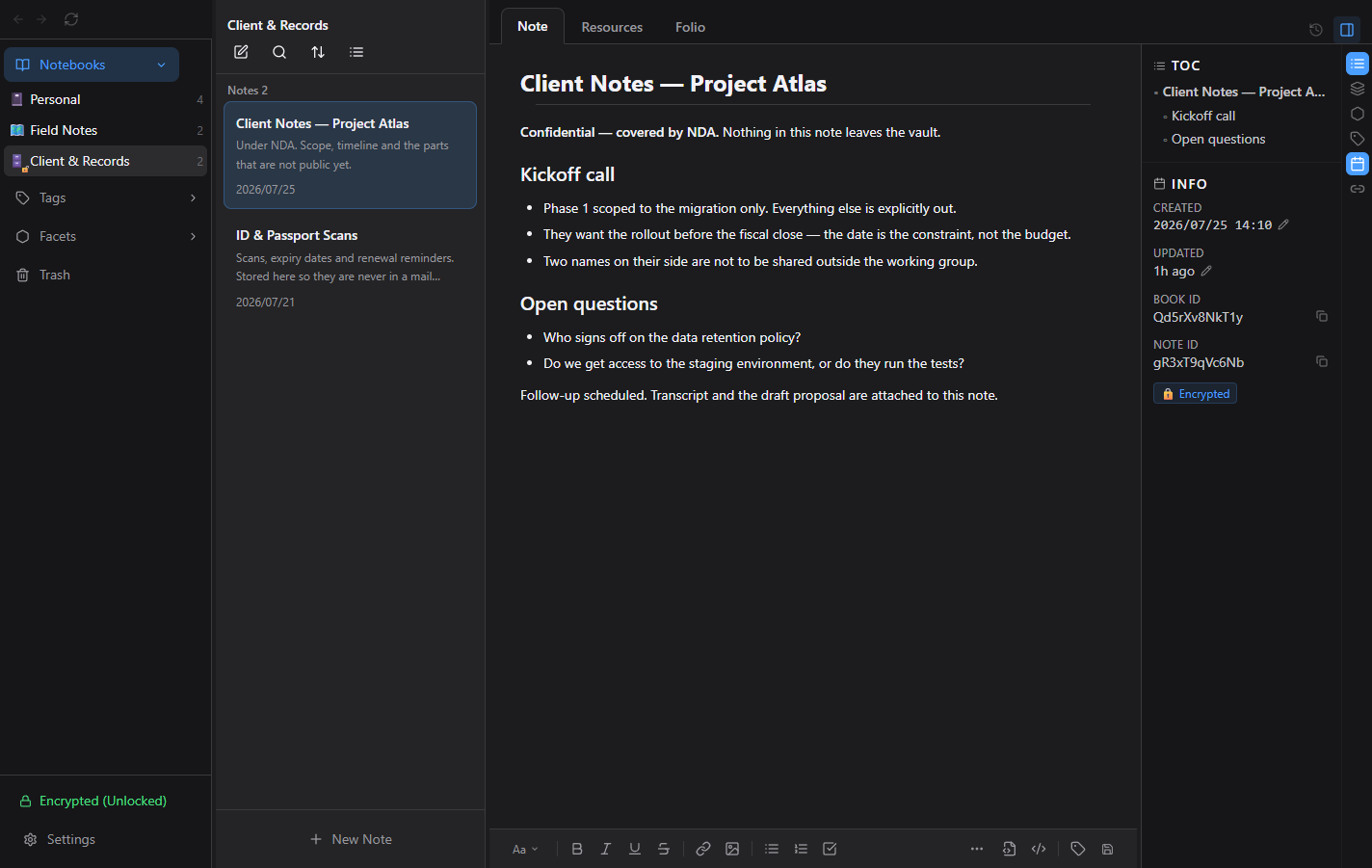
Unlocked. You enter your password and it behaves like any other notebook. Write, search, attach files, drop in images. Nothing about the experience changes.
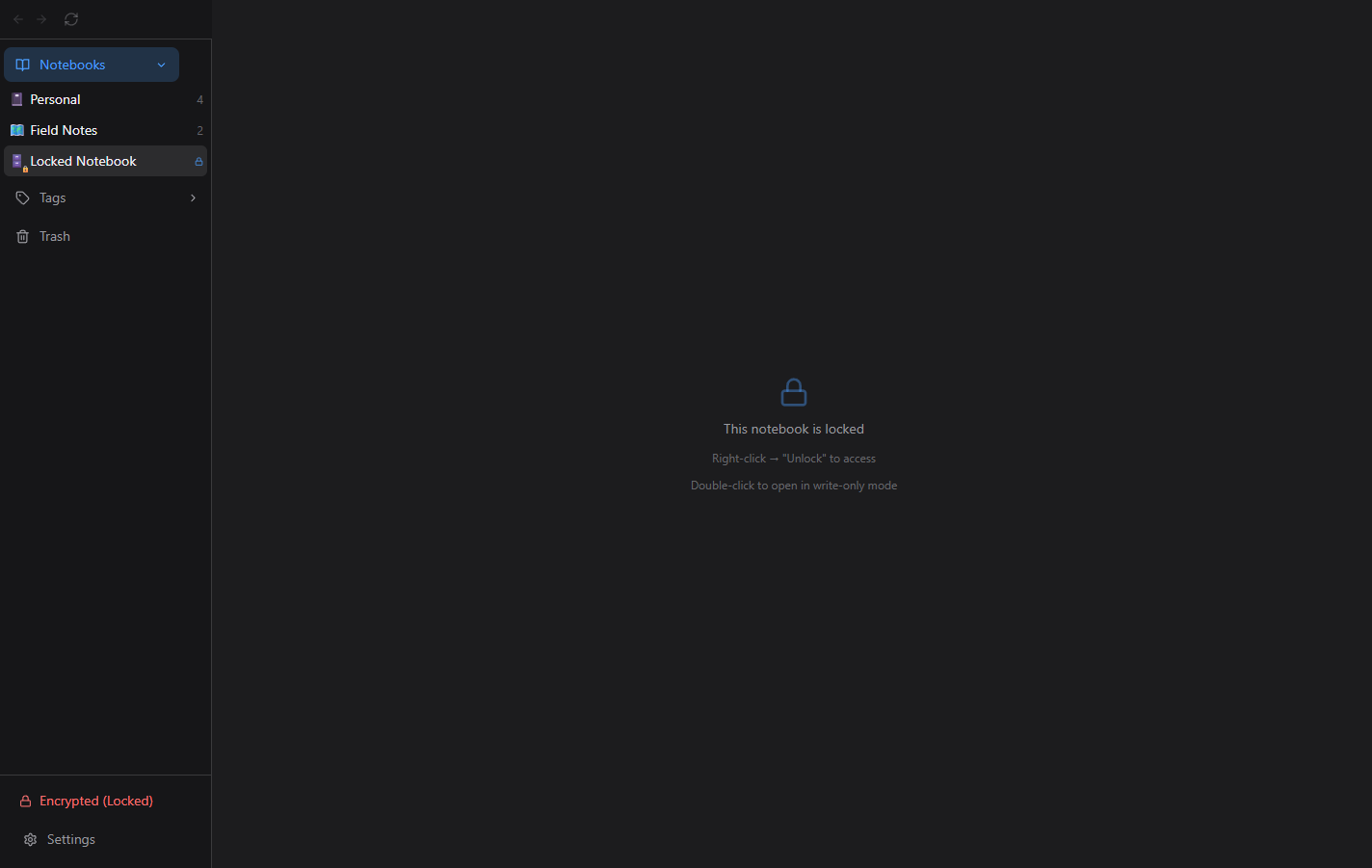
Locked. The notebook is still there in your sidebar, but it doesn't say what it is. It shows a mask name and icon you chose yourself — not the real name, not the note titles, not the previews, not the images. Someone scrolling your sidebar sees that a locked notebook exists. That's all they see. Name it whatever you like — including something that gives nothing away.
Locked. A mask name in the sidebar. No titles, no previews, no images.Unlocked. The same notebook, behaving like any other one.
Unlocked doesn't mean slower. Most encrypted vaults work by mounting the whole thing — unlock once, and everything inside gets decrypted into memory or a virtual drive, whether you're looking at it or not. Lyunotes doesn't mount the whole vault. It decrypts item by item: open a note or a file, and it's decrypted right then. We call this On-Demand Decryption Optimization (ODO). It's why an encrypted notebook doesn't feel encrypted — no lag opening a note, no wait scrolling a list of thumbnails, no delay you learn to route around. (On Windows, mounting a single note's Resources as a drive is a separate, optional choice you make per note.)
You lock and unlock on your terms. Lock a notebook when you step away. Leave another one open all day. Encrypted and ordinary notebooks live side by side in the same vault, and you decide which is which — including changing your mind later and turning encryption back off.
There's no account to create, no email to verify, no "sign in to continue." Your password never leaves your machine, because there's nowhere for it to go.
And the part most apps bury in a help article, we'll say here: if you forget your password and lose your recovery key, your notes are gone. Not delayed. Not recoverable through support. Gone. We have no override, no master key, no way in — and neither does anyone else.
Encryption protects what your notes say. Metadata visible to your cloud sync provider — things like file counts and sizes — is covered in our Privacy Policy.
Why it works this way
We can't read your notes. That's the same reason we can't get them back.
Every recovery feature you've ever used — a reset link, a support ticket, a security question — is a second door into your data. It exists because the company holds a copy of your key. That door is convenient right up until the moment someone who isn't you walks through it: a subpoena, a breached server, a social-engineered support agent, an employee having a bad year.
We didn't build that door. Not because we're careless about your data, but because a lock the locksmith can open is a lock that protects the locksmith, not you.
That's the trade, stated plainly: absolute privacy costs you the safety net of someone else being able to unlock it for you. If your device fails, your own backups and cloud sync still bring your vault back — as long as you remember the password. What we can't do is recover the password itself, or the door disappears entirely. We think that's the honest deal, and we'd rather you understand it on day one than discover it on your worst day.
Not everything you write is a secret.
Most privacy apps encrypt everything and call it a feature. In practice, that's a design that fights you — you pay the friction of a vault to store a grocery list. So people do one of two things: they stop using the vault, or they keep the real secrets somewhere else entirely.
So encryption here is per notebook, opt-in, and reversible. Your reading list stays open. Your therapy journal stays sealed. A vault you actually use beats a vault you route around.
We tell you where the walls end.
Encryption defends against a specific set of things: a stolen laptop, a cloud provider that can read what it stores, a housemate who opens your machine, a drive that outlives you and gets resold. It does not defend against a device that's already compromised while you're typing — no encryption does, and anyone claiming otherwise is selling you a feeling.
Naming the limits isn't a weakness in the product. Security you can't describe the edges of isn't security — it's a vibe. We'd rather hand you an accurate map than a comforting one.
A few more edges, stated the same way: a notebook you never turned encryption on for stays exactly as readable as any other file on your machine — encryption doesn't retroactively apply itself. An unlocked notebook is unlocked; anyone looking at your screen sees what you see, the same as with any app. And the recovery key we hand you once is the whole safety net — lose it alongside your password, and there's no second one in a drawer somewhere. These aren't gaps specific to Lyunotes; they're where encryption itself stops, in any app that's honest about it.
Use cases
Journals and personal writing. The things you only write down because no one else will read them. Therapy notes, grief, ambition you're not ready to say out loud, the draft of the message you'll never send.
Client and privileged work. NDAs, case notes, unreleased strategy, interview transcripts, source material you promised to protect. Confidentiality you can point to a mechanism for, not just a policy.
Documents you'd never email. Passport and ID scans, medical results, insurance and tax paperwork, account details for the people who'd need them if something happened to you.
Research and IP. Lab notes, prior art, manuscripts, formulas, and the half-finished ideas that are worth something precisely because nobody's seen them yet.
Shared and borrowed machines. A family computer, a desk in an open office, a laptop that goes through airport security. Locked notebooks show a mask, not a title.
Your own cloud, your own terms. Keep your vault in whatever cloud folder you already use. Your notes and attachments sync as ciphertext — your provider holds the box, you hold the only key.
Specs
Cipher
AES-256-GCM (authenticated encryption)
Decryption model
On-Demand Decryption Optimization (ODO) — decrypts each note or file when you open it, instead of mounting the whole vault
Key derivation
Argon2id (memory-hard, tuned against brute force)
Scope
Per notebook — opt-in, reversible
Recovery
One-time recovery key, shown once at setup
Server involvement
None. No account, no key escrow, no recovery desk
Password storage
Never stored, never transmitted, never seen by us
Locked state
Mask name and icon; real names, titles, previews and attachments hidden
Encryption covers the contents of your notes. For what your cloud sync provider can still observe, see our Privacy Policy.
Notes
What it does
Fast to create, easy to find again, never locked into one way of looking at them.
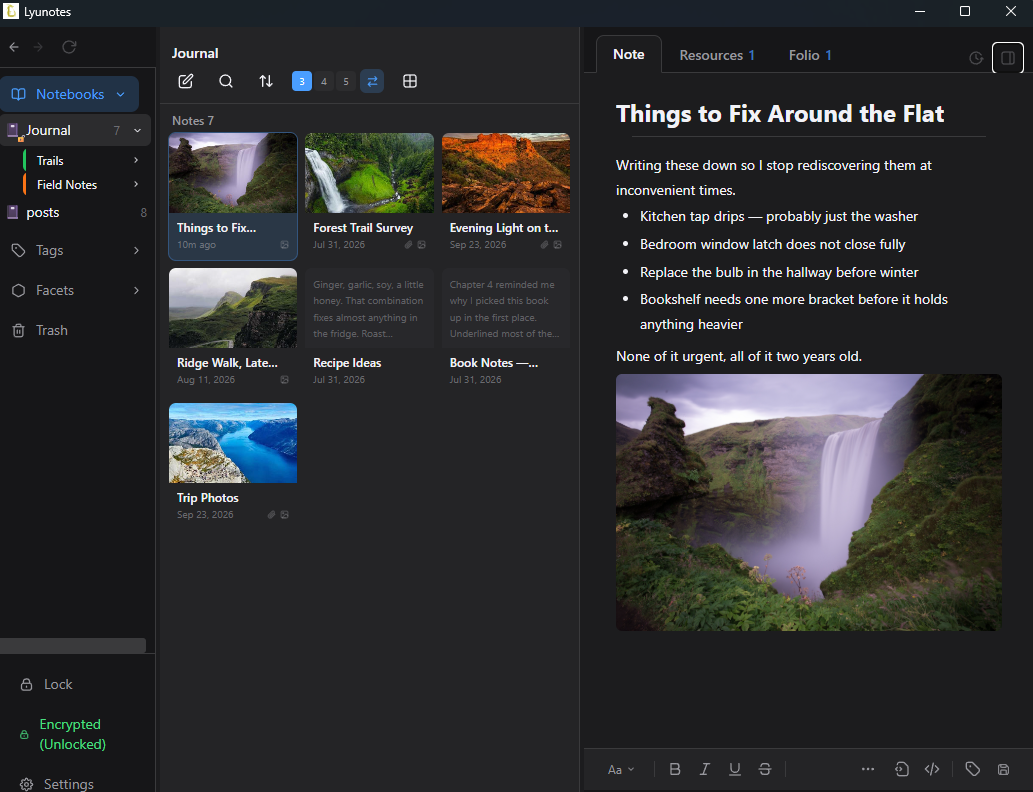
Tap the new-note icon in the list header — or the "+" button at the bottom, or a keyboard shortcut — and you're writing, no folder to pick first, no template to dismiss. It's the same icon on the smartphone version, so switching devices doesn't mean relearning where things are. Pin the notes you're mid-thread on, sort by whatever order makes sense today (newest, oldest, last updated, title, or random for rediscovery), and switch between four list views — thumbnail grid, list with previews, plain list, or a dense one-line mode — per notebook.
Every note has a stable internal link you can copy and paste into another note; click it and you jump straight there. On the desktop you can also type [[ to search your notes and insert a link. Each note's info panel lists the notes that link to it (backlinks), so you can see where a note is referenced. Duplicate a note, move it to a different notebook, or select a batch of them and delete, tag, or file them together in one pass.
Delete doesn't mean gone. Notes go to Trash first, where you can restore them or remove them for good.
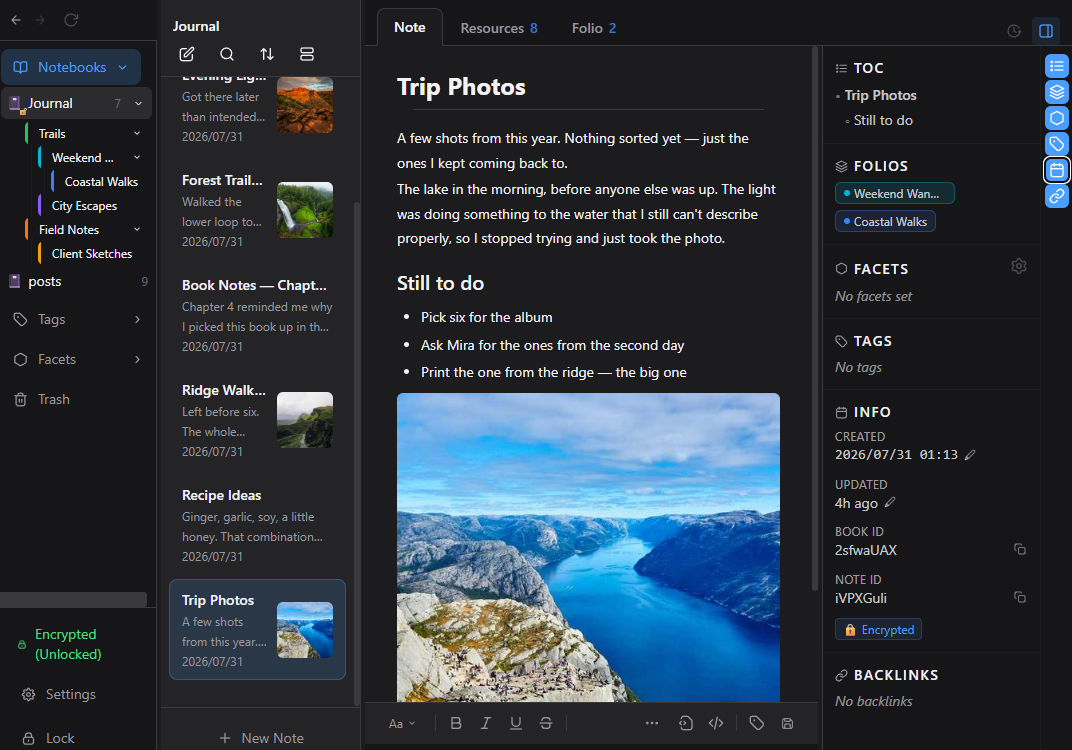
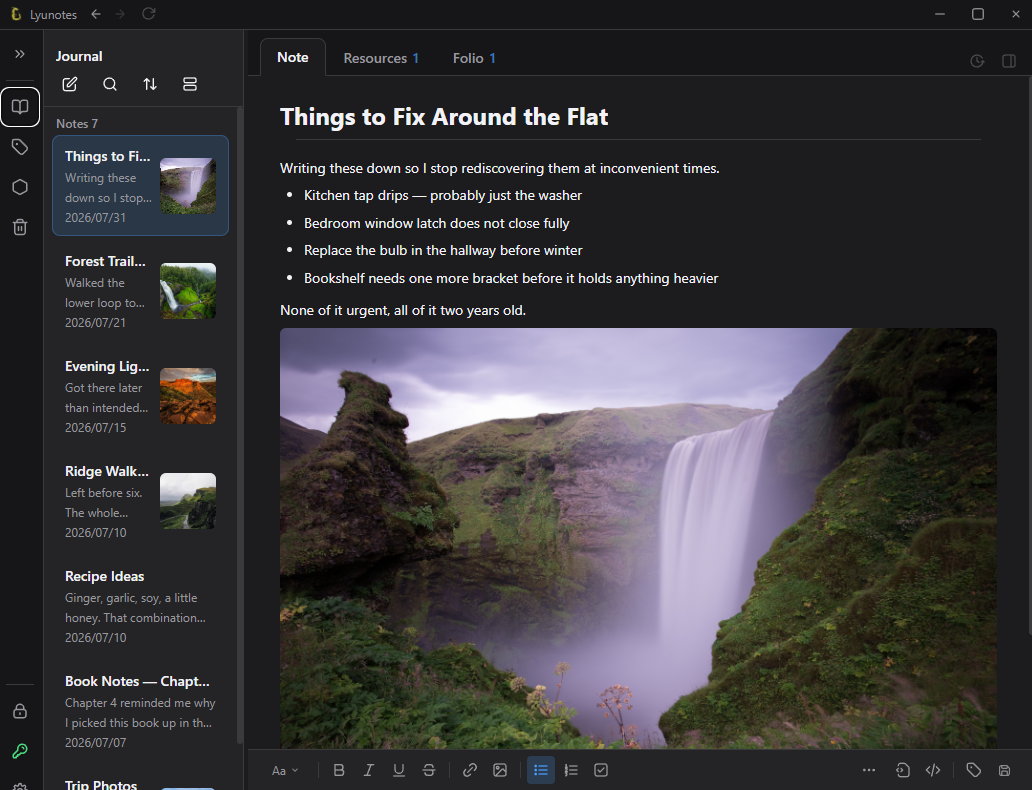
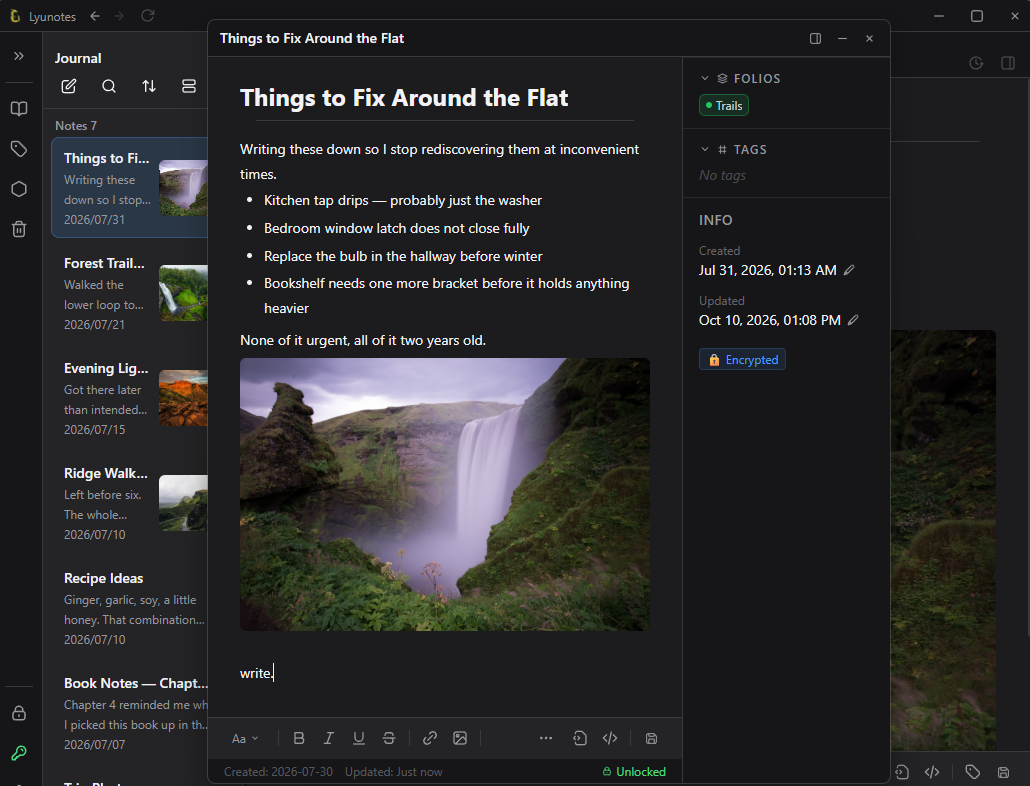
The default view: sidebar, note list with previews, and the editor open on a note.
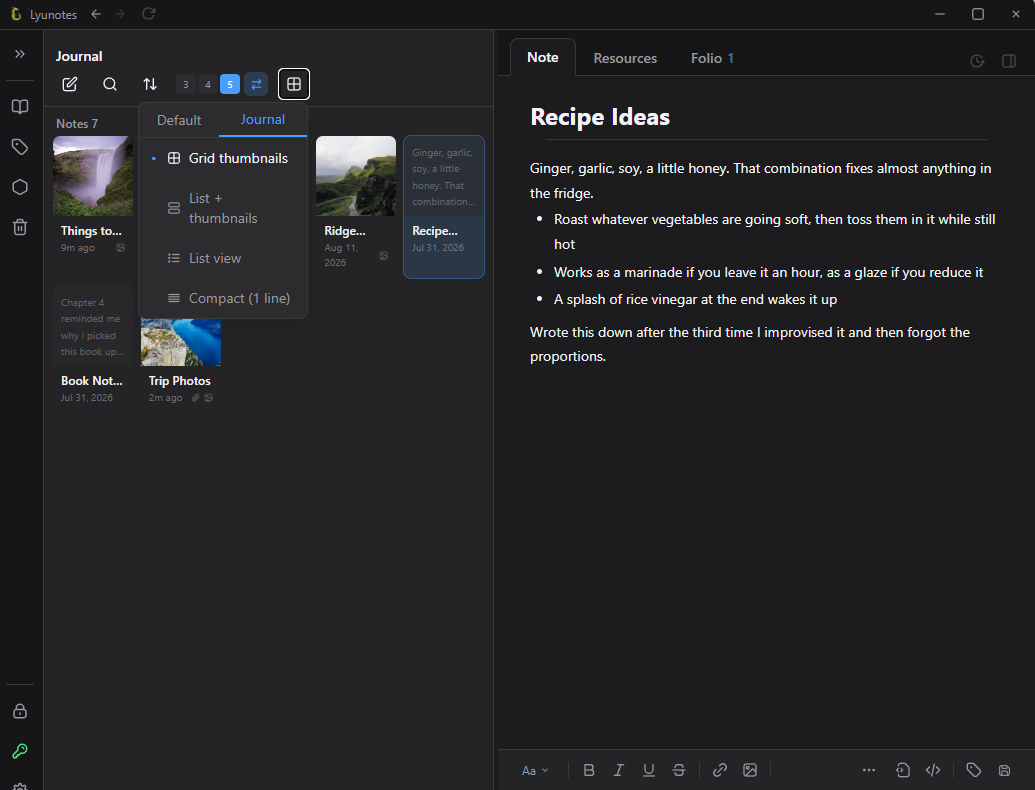
Sidebar pinned open, notes as a three-column grid.Sidebar collapsed to an icon strip: more room for the list and editor.
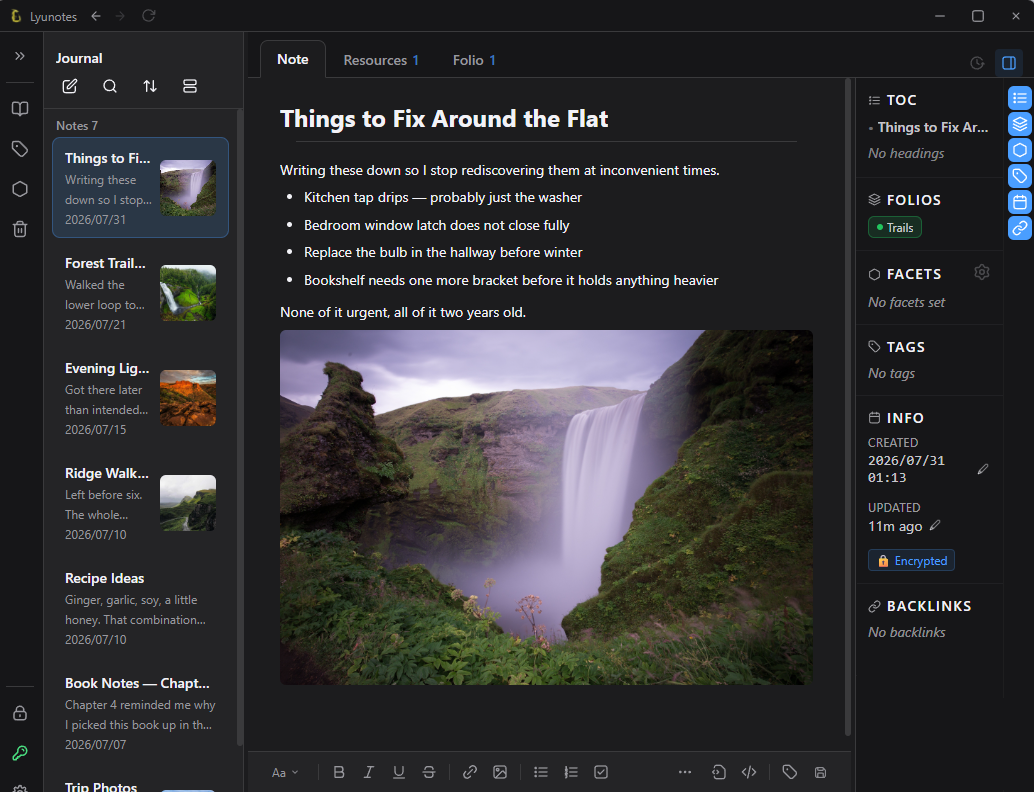
Four list views, with a default per notebook; desktop grids can use 3, 4 or 5 columns.The info panel: table of contents, folios, facets, tags, dates and backlinks.
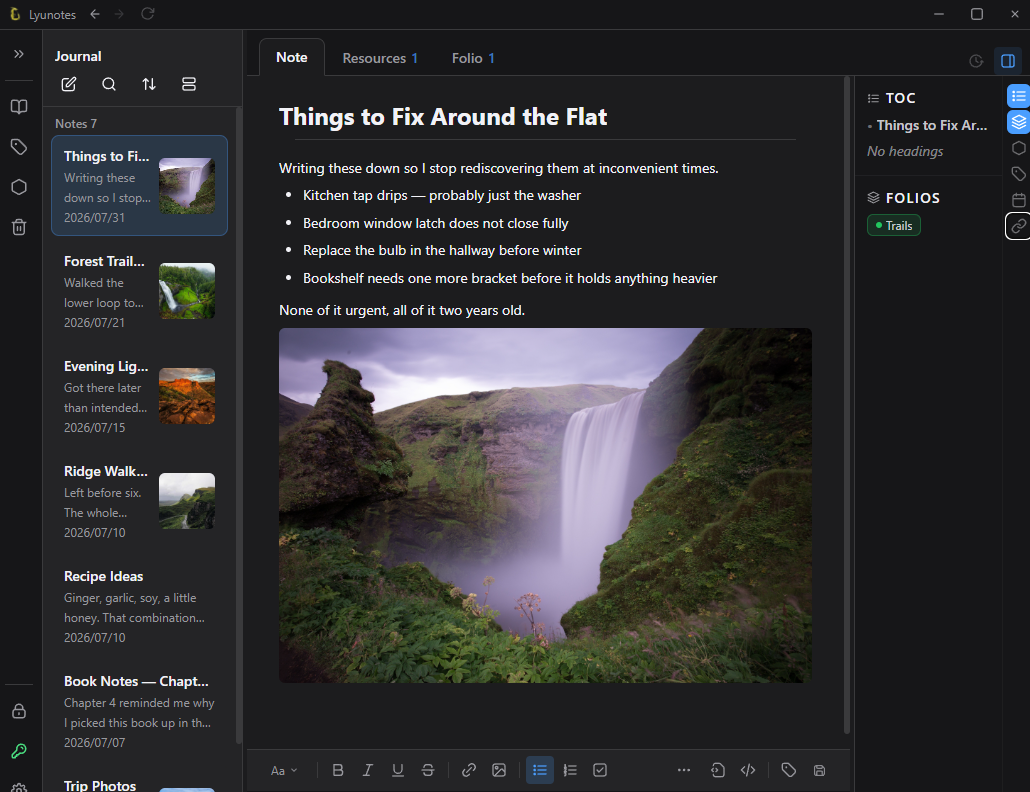
Show only the info panel sections you want, using the icons along its edge.Open in Window: a note in its own window, still fully editable.
Specs
Sort orders
Newest, oldest, last updated, title, random, custom
List views
Grid (thumbnails), list with previews, plain list, one-line. Set a default per notebook and override it per folio; it syncs across devices. Desktop: 3, 4 or 5 grid columns
Trash
Restore or permanently delete individual notes
Note links
Internal deep links between notes — copy, paste, click to jump. Type [[ to search and insert a link (desktop). Backlinks: each note's info panel lists the notes that link to it
Collapsible sidebar (desktop)
Turn off sidebar pinning in Settings → Display and the sidebar collapses into a slim icon strip, leaving more room for the note list and editor
Duplicate & move
Copy a note, or move it to a different notebook
Multi-select
Batch delete, tag, or file notes together
Export
Save any note as Markdown
Themes — a notebook that takes the shape of your thinking
What it does
Thoughts don't come in one shape, so a notebook shouldn't have just one. A theme decides how a notebook looks and how it works. Your notes, encryption and sync stay exactly the same underneath, and you choose a theme per notebook and switch it whenever you like.
Default is the classic notes layout: a sidebar of notebooks, a note list with previews, and the editor.
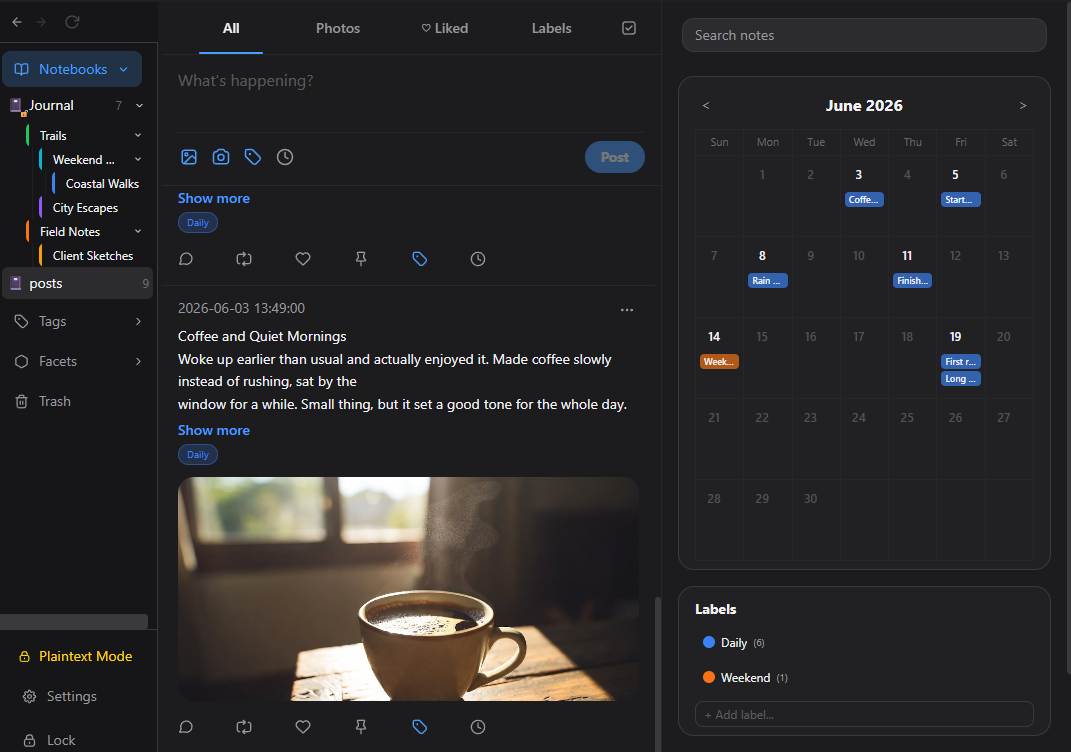
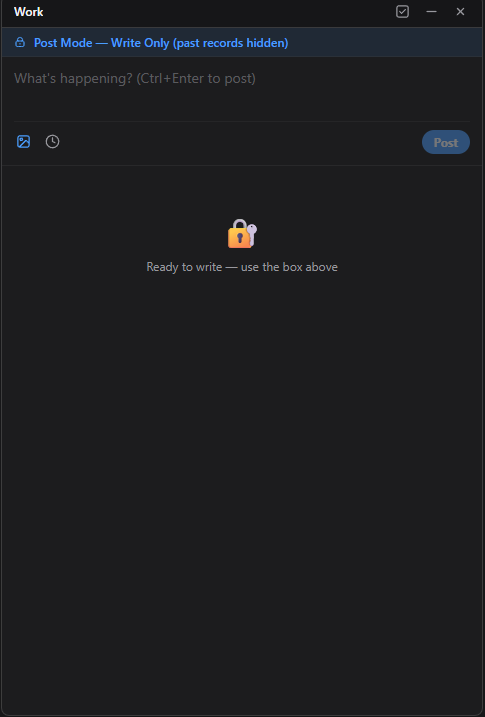
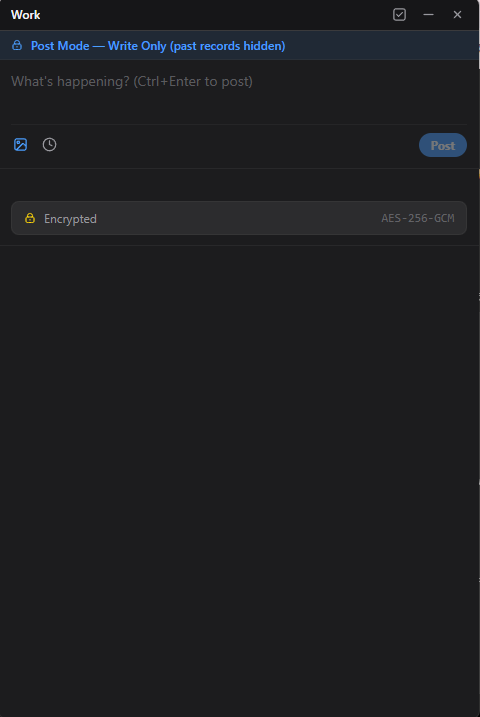
Diary turns a notebook into a journal: a quick-post composer for adding entries, labels to group them, and a calendar and timeline to look back through. On the desktop, a small posting window lets you add a new entry to a locked Diary notebook without opening the rest of it: you still enter your password or recovery key, but your earlier entries are never on screen while you jot something down.
Pick a starting theme when you create a notebook, and switch it later from the notebook's settings. Encryption is a separate choice from the theme.
Default theme: sidebar, note list with previews, and the editor.Diary theme: a quick-post composer, labeled entries, and a calendar.
Post Mode on the desktop: a small write-only window. Earlier entries stay hidden.For an encrypted notebook, the window shows it is encrypted (AES-256-GCM).
Specs
Choice
Per notebook
Themes available now
Default and Diary
When to choose
When you create a notebook, or later from the notebook's settings
Diary views
Quick-post composer, labeled entries, calendar, timeline and stats
Post while locked (desktop)
Enter your password or recovery key in a small window to add an entry; earlier entries stay hidden and the rest of the notebook stays locked
Resources — a vault for your files
What it does
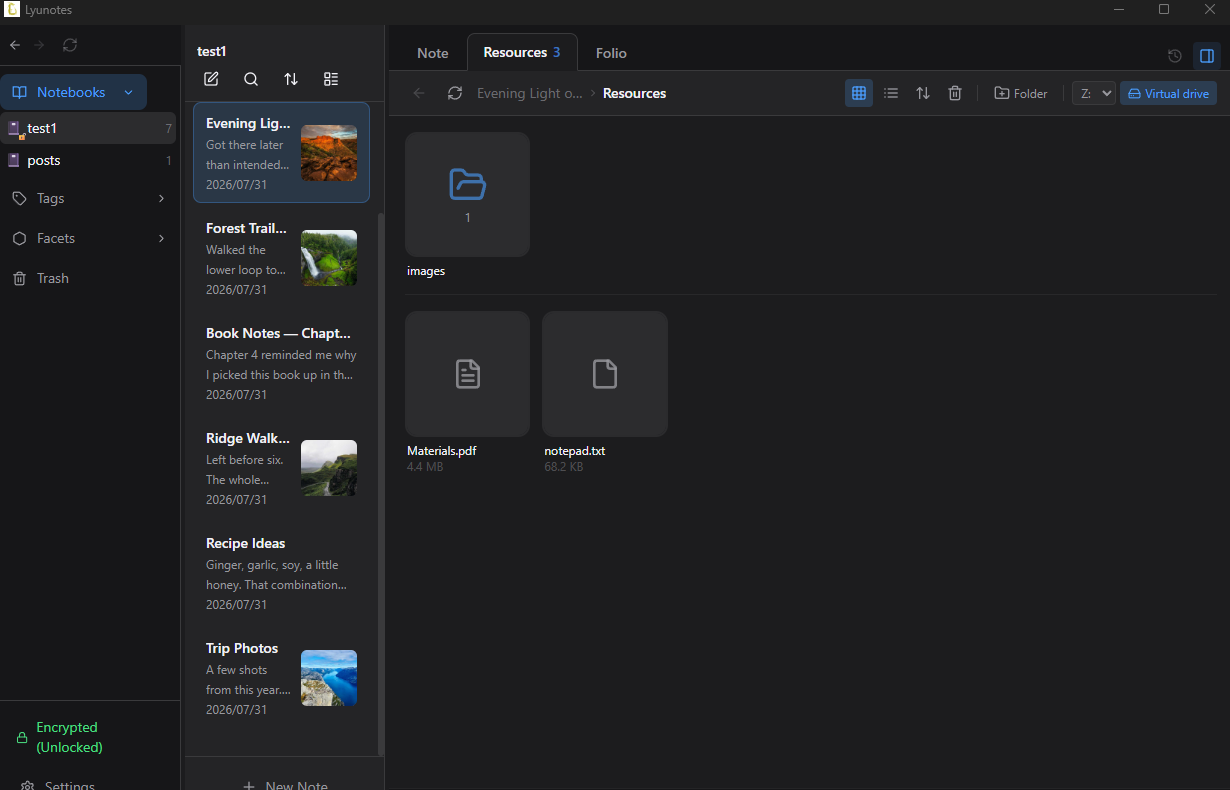
Every note has its own resource space, a space for the files that belong to it. Every file you attach lives there, browsable on its own, never buried inside the note's body text.
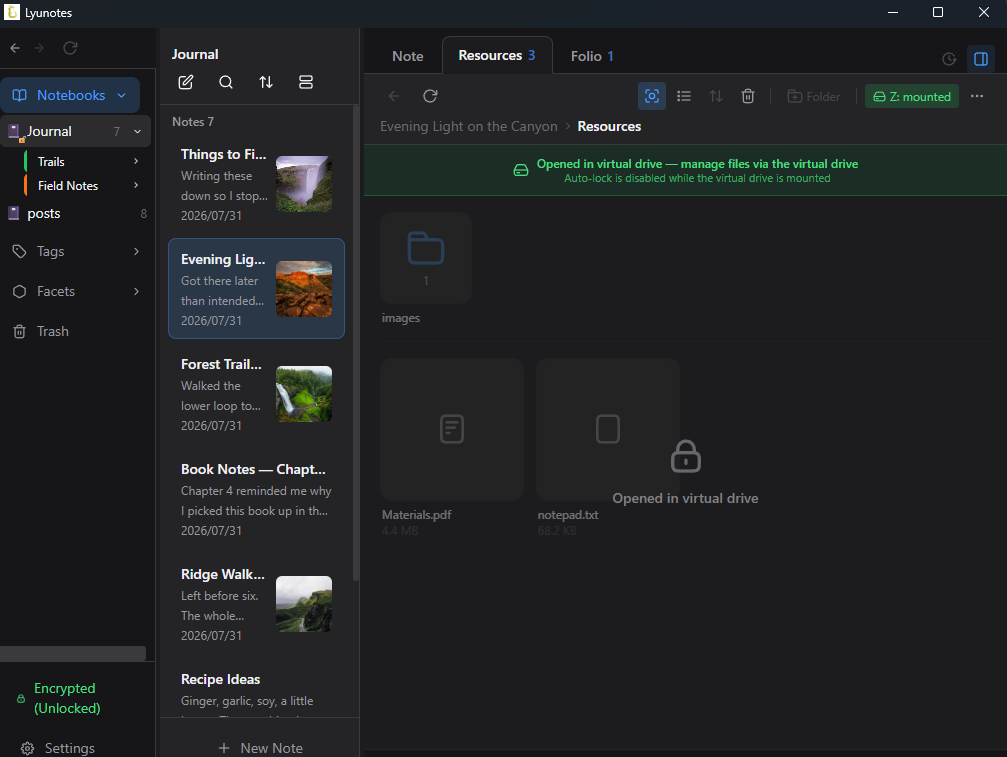
Even in an encrypted notebook, each note's Resources (the files that belong to the note) stay encrypted; open them in Lyunotes, or on Windows mount them as a virtual drive and open and edit them in other apps.
Add files by dragging them in or picking them from a folder. Organize them into folders the same way you'd organize any other files. Switch between a thumbnail grid and a list view, and when you want to use one in a note, pick it from that note's resources instead of hunting for the original file again.
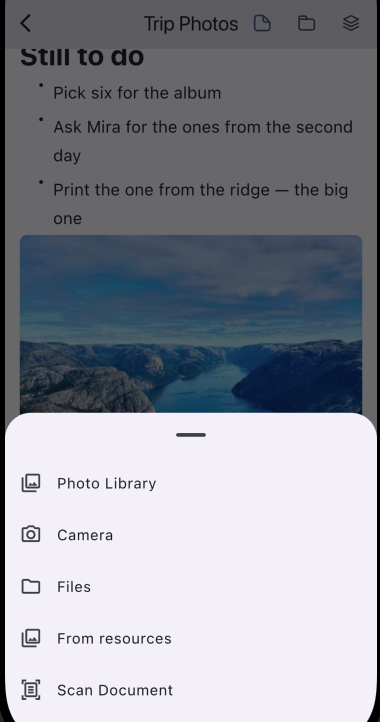
On the smartphone version, point the camera at a document and Lyunotes scans the pages into a single PDF right there — no separate scanner app, no detour through your camera roll. It lands straight in that note's resources.
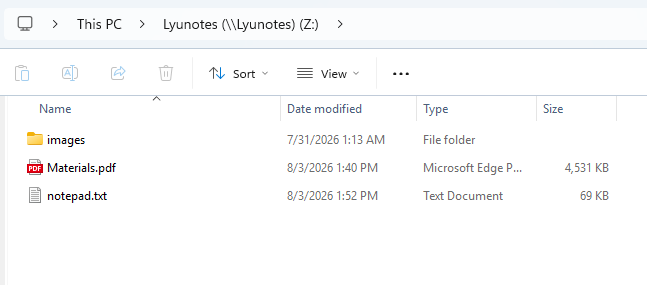
On Windows, mount a note's resources as a drive (a virtual drive) from that note's Resources tab (encrypted notebooks only). The drive's top level is that note's resources — the same files and folders you see in the tab, open right there in File Explorer. Drag anything in from wherever you're already working; it lands in that note's resources, still encrypted. Each file is encrypted and saved as soon as you close it.
Plain notebooks need no drive. In an unencrypted notebook, a note's resources are ordinary files and folders on disk, with their original names — open them in File Explorer or Finder like anything else. The Windows drive is for encrypted notebooks, where resources are otherwise stored encrypted.
If a resource ever goes missing from the index — a sync hiccup, an interrupted write — Lyunotes can rescan the notebook's folder on disk and rebuild it, rather than leaving you to track it down by hand.
Every resource for this note in one place — folders, files, and a one-click virtual drive.Mounted: the tab hands over to the drive (Z:) while it is open.
In File Explorer, the drive's top level is that note's resources.On the smartphone version, Scan Document turns paper straight into a PDF in that note's resources.
Specs
Scope
Each note has its own resource space
Views
Thumbnail grid or list
Folders
Nested folders for organizing resources
Document scanning
On the smartphone version — scan paper documents straight into a PDF
Insert into notes
Pick any resource and drop it into the note you're editing
Desktop drive (Windows)
Encrypted notebooks only: mount a note's resources as a drive in File Explorer. Unencrypted notebooks: resources are already ordinary files on disk
Recovery
Rescan-from-disk if the resource index goes missing
Encrypted notebooks
Resources are encrypted at rest and decrypted only when viewed
Folios
What it does
A way to group notes inside a notebook without moving them anywhere.
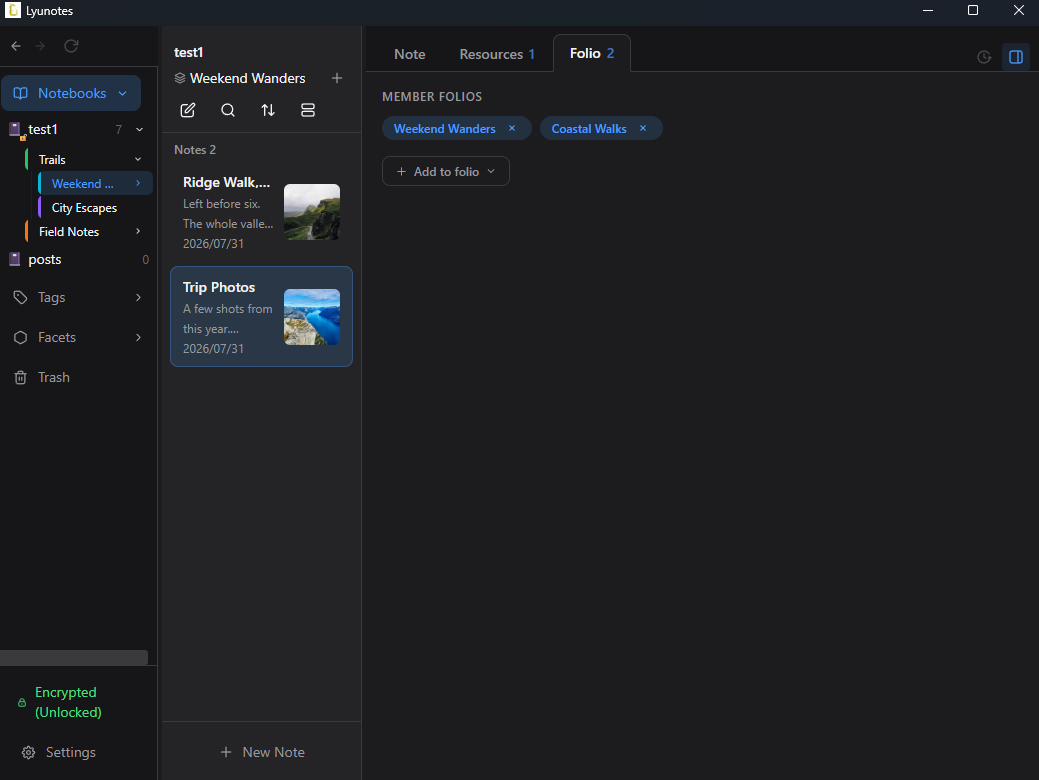
A folio is a tab, not a folder — create one, give it a color, and add notes to it. The same note can belong to several folios at once, so a single project note can sit in "Active," "Q3," and "Client X" simultaneously without you ever duplicating or relocating it. Nest folios inside each other when a flat list stops being enough.
Click a folio to filter the note list down to just what's in it. Remove a note from a folio and it stays exactly where it was — folios organize, they don't own.
A note can belong to several folios at once — add or remove membership without ever moving the note.
Specs
Nesting
Folios can contain child folios
Membership
A note can belong to multiple folios at once
Color
9 tab colors to tell folios apart at a glance
Filtering
Click a folio to filter the note list to its members
 Lyu
Lyu